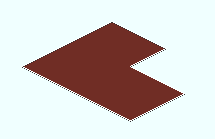
Welded wire mesh (also known as "welded wire fabric") consists of a grid horizontal and vertical wires. However, it appears in the model as a continuous sheet.
Entering sizes :
Modeling does not apply a standard description to welded wire mesh. You can enter a size designation conforming to the ASTM standard (e.g., WWM6x8 - W8.0xW4.0 ) to a " Description " cell in the Drawing Editor bill editor.
Welded wire mesh is not found in any SDS2 shape file. It is generated based on settings stored in the Welded Wire Mesh Material window, and on the workpoints you enter when you model it.
Submaterial piece marking :
The material mark prefix for welded wire mesh is wwm .
Adding welded wire mesh sections to the model :
You can add welded wire mesh material as submaterial to a member using Add Material .
If you add welded wire mesh to the 3D model as either a miscellaneous member or submaterial, what you get depends on the way you add work points and the specifications you enter to the Welded Wire Mesh Material window.